
Who it's for: Everyone, on any plan.
Steps
- Go to Nutrition and tap Add food on a meal.
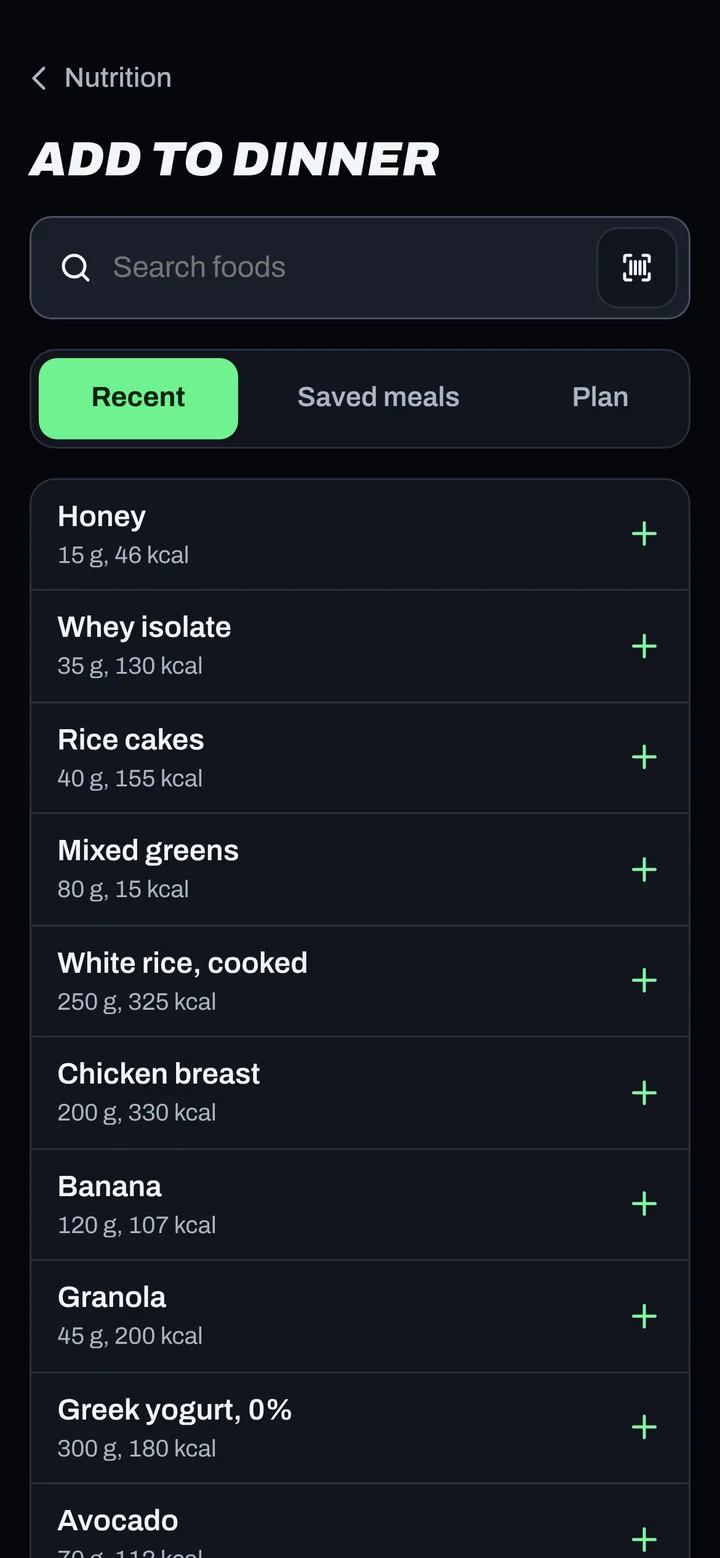
- To search, type in Search foods, tap a result, set the amount and tap Add food.
- To scan, tap the Scan a barcode button next to the search box and point your camera at the barcode.
- For something you eat often, pick it from Recent or Saved meals. Plan shows the foods set for that meal.
- Can't find it? Tap Enter it yourself and type the name and macros.
- Tap Done when you're finished.
Good to know
- Planned meals have a quicker way: tap Log as planned, or Swap a single item.
- Search and barcodes need a connection. Recent, Saved meals and Enter it yourself work offline.
- Barcodes have 8 to 14 digits. If the camera can't read one, type the numbers under the bars and tap Look up barcode.
Not working?
| What you see | What to do |
|---|---|
| No results | Try a simpler word ("oats", not "rolled oats organic"), or Enter it yourself. |
| Camera won't scan | Some browsers can't read barcodes. Type the digits instead. |
| "Food logging is paused." | Health data consent is needed. Tap Review consent. |
Related
Still stuck? Message your coach or email support@adaptnow.app.
Still stuck? Message your coach in the app, or email support@adaptnow.app.