- Home
- Get started
Get started
Up and running in 3 taps.
ADAPT NOW is a home-screen app. There's no app store download: you add it straight from your browser, sign in once, and it opens full screen like any other app.
Create your account
Sign up and subscribe to the App plan, or start a 3-day trial instead of paying right away. Coaching clients don't sign up here: apply for coaching and your coach sends you an invite.
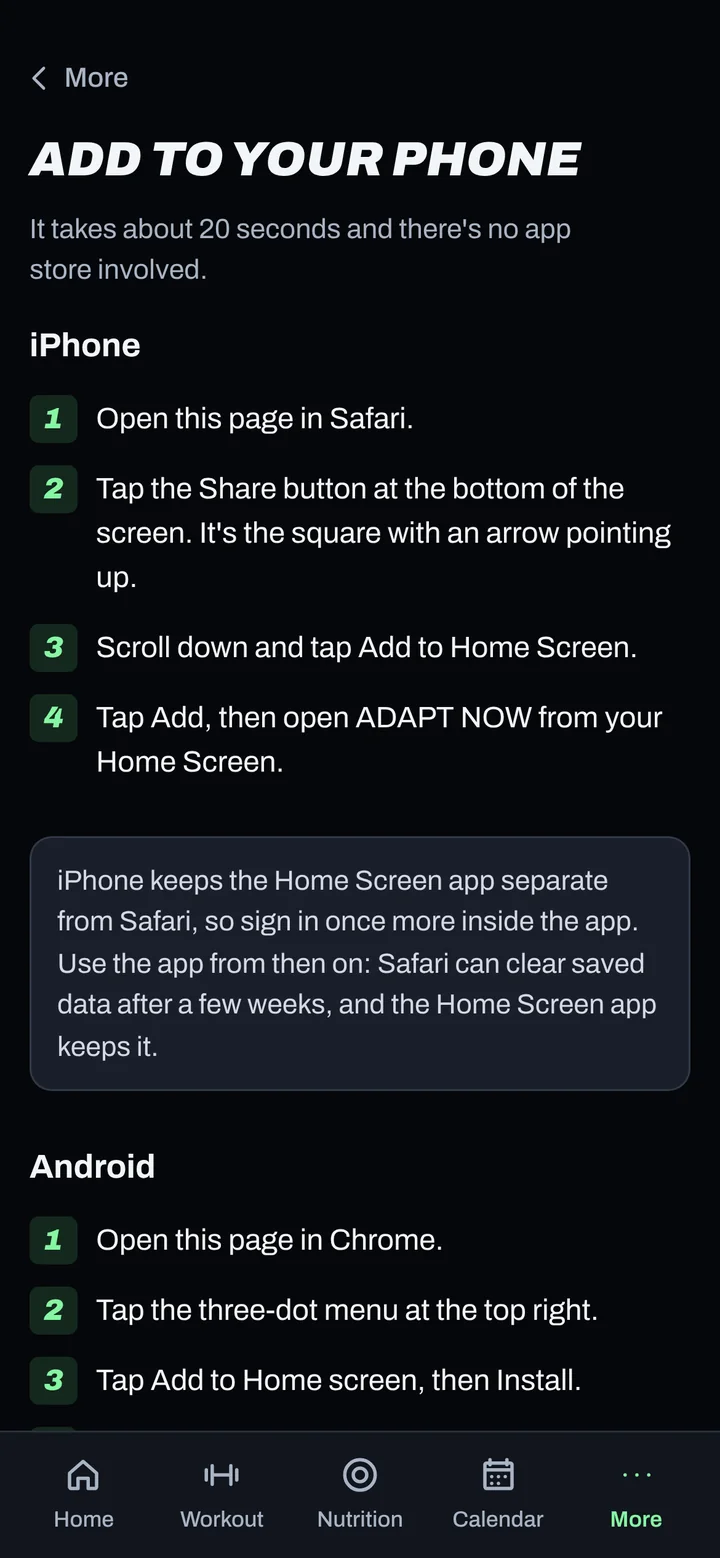
Add ADAPT NOW to your home screen
It takes about 20 seconds. Use Safari on iPhone and Chrome on Android.
- Open app.adaptnow.app in Safari.
- Tap the Share button (the square with an arrow pointing up).
- Scroll down and tap Add to Home Screen.
- Tap Add, then open ADAPT NOW from your home screen.
- Open app.adaptnow.app in Chrome.
- Tap the three-dot menu at the top right.
- Tap Add to Home screen, then Install.
- Open ADAPT NOW from your home screen.
Sign in inside the installed app. On iPhone the home-screen app is kept separate from Safari, so sign in once more inside it. Use it from your home screen from then on: browsers can clear saved data after a few weeks, but the installed app keeps it.
Set up two-factor sign-in
Two-factor sign-in is required on every ADAPT NOW account. Your training, body and nutrition data is personal, so a password alone is never enough to open it. When you first sign in you'll see a QR code: scan it with an authenticator app, then enter the 6-digit code.
Apple Passwords
Built into iPhone. Open the Passwords app, add a code for ADAPT NOW, and your phone fills it in when you sign in.
Proton Pass
A privacy-focused password manager for iPhone, Android and desktop, with built-in two-factor codes that sync across your devices.
Save your recovery codes. You'll get a set of one-time recovery codes. Store them in your password manager. They're how you get back in if you lose your phone.
Give your consents
You'll accept the user agreement, then see a separate health data consent. Health data such as your weight, food logs and body measurements stays locked until you give it, and you can withdraw it later.
Turn on notifications
Reminders keep your check-ins on time. Allow notifications from inside the installed app. On iPhone, notifications need the home-screen app and iOS 16.4 or later.
Set up your first week
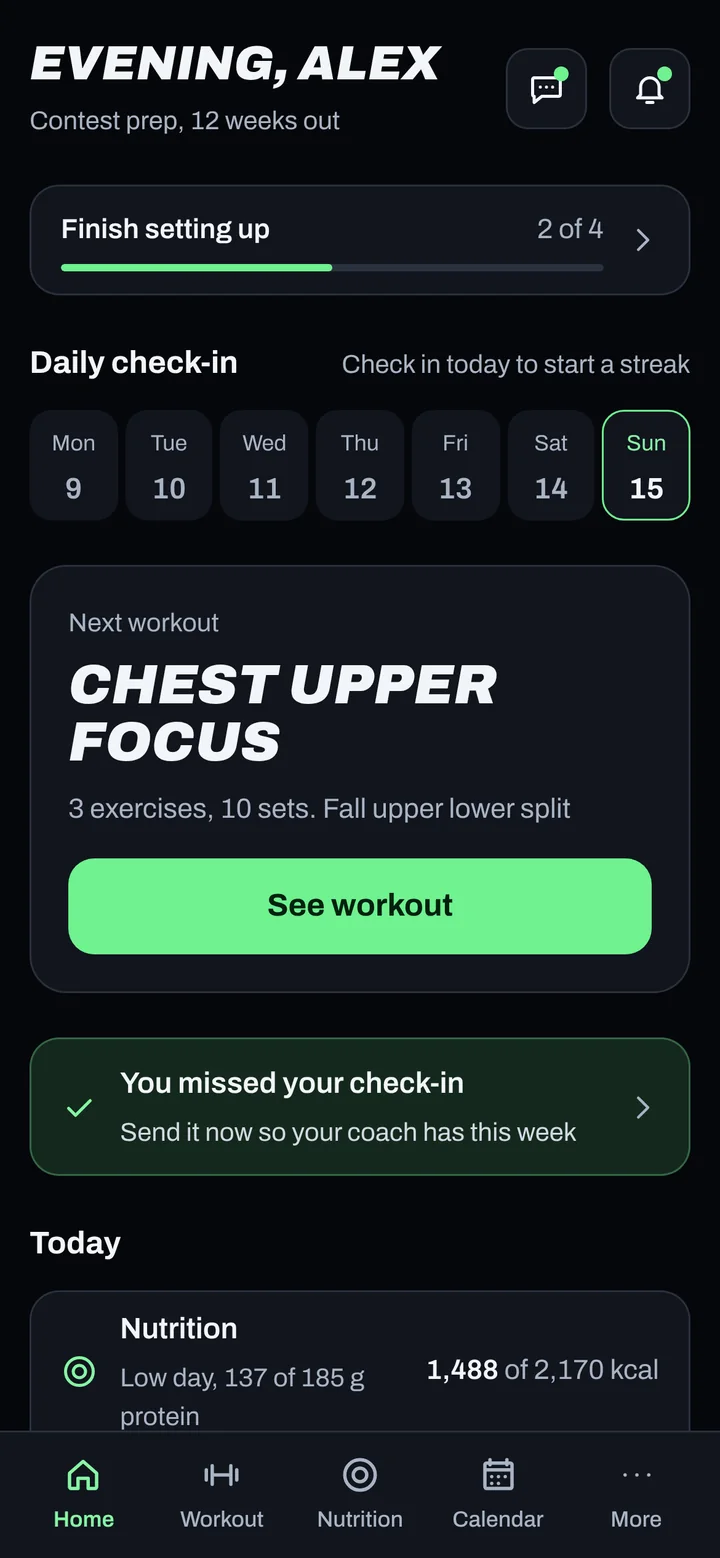
Follow the Finish setting up card on your home screen. Then:
- Pick your weekly check-in day.
- Weigh in and log your food every day this week. Adaptive nutrition starts adjusting after 7 days with both.
- Start your first workout from the Workout tab.
- Connect a device from More if your plan includes it.
Ready? Open the app.
Start your 3-day trial and you can be logging your first meal in a few minutes.