
Video walkthroughA short video for this guide is coming soon.
Who it's for: Everyone on an Android phone, on any plan. Use Chrome for the best results.
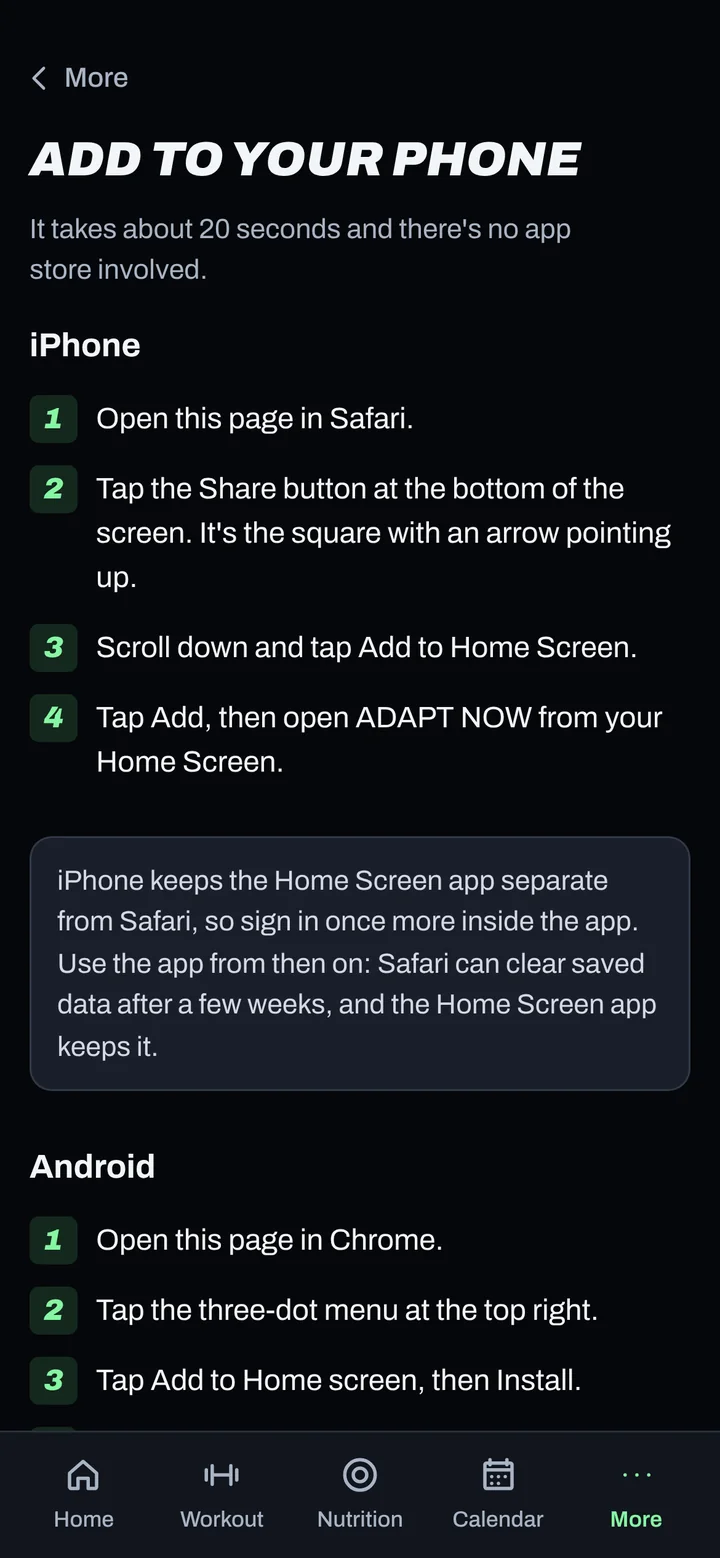
Steps
- Open Chrome and go to app.adaptnow.app. Sign in.
- Go to More > Add to your phone and tap Install ADAPT NOW if you see it.
- No button? Tap Chrome's three-dot menu (top right), then Add to Home screen.
- Tap Install.
- Open ADAPT NOW from your Home screen or app drawer. If it asks you to sign in, sign in once more.
Good to know
- The installed app opens full screen and works with weak or no signal.
- Turn on reminders next. See Turn on notifications.
Not working?
| What you see | What to do |
|---|---|
| No Install option in the menu | Update Chrome from the Play Store, then try again. Some other browsers hide this option. |
| I installed it twice | Long-press the extra icon and remove it. Keep one icon so you always open the same app. |
| It opens in a browser tab, not full screen | Remove the icon and add it again from Chrome's menu with Add to Home screen > Install. |
Related
Still stuck? Message your coach or email support@adaptnow.app.
Still stuck? Message your coach in the app, or email support@adaptnow.app.